

Reporting & analytics
Numbers that tie out.
57 reports across sales, stock, kitchen, bar, café, purchasing, customers, events and accounts — each with a definition, a chart you can read with the keyboard, and a check against the ledger where one can be proved.
- reports in nine sections
- 57
- file formats: PDF, Excel, CSV
- 3
- from a closed sale to the sales reports
- Seconds
What it does
Everything it does, in plain words.
-
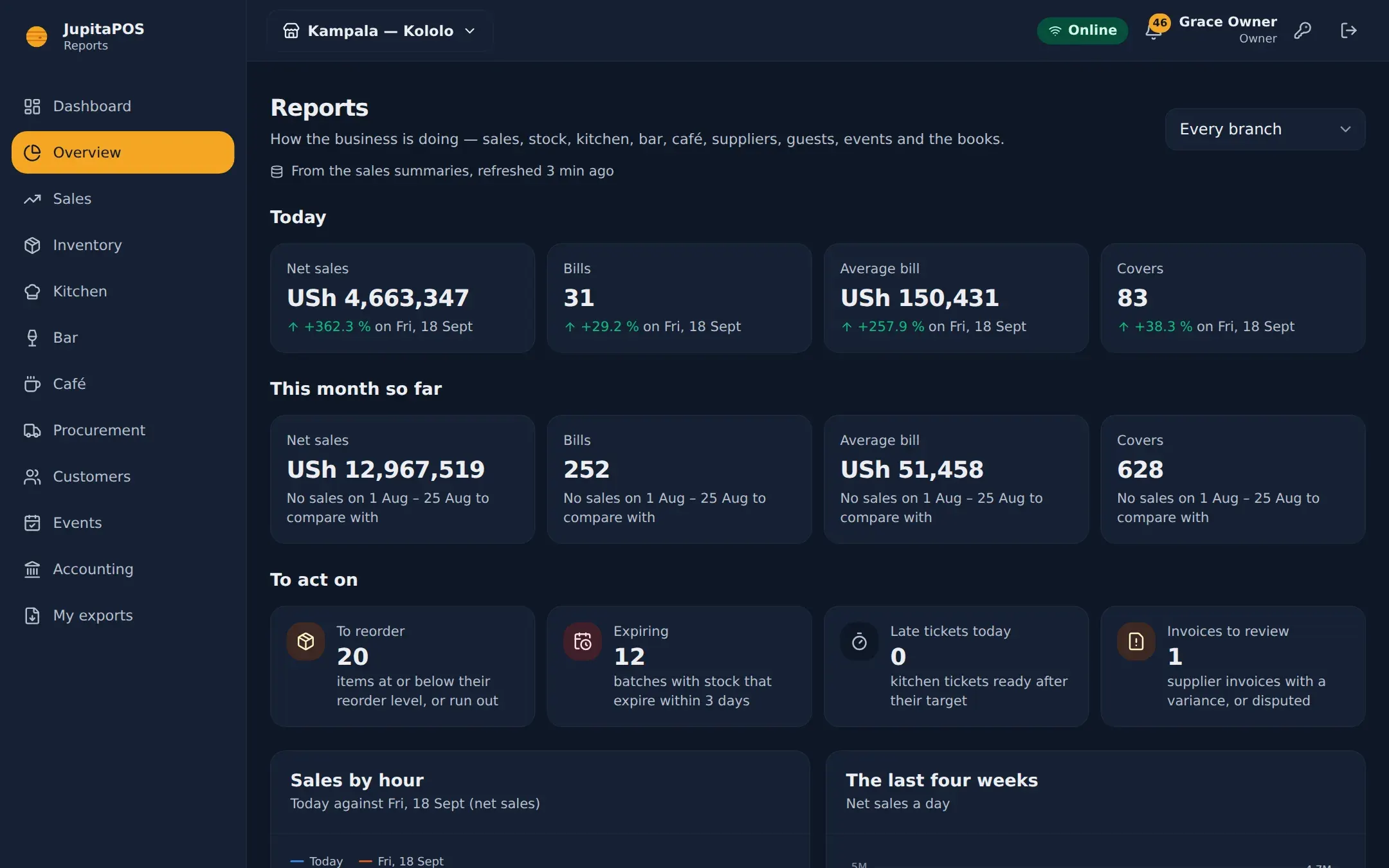
An overview that acts
Today against last week, this month against last, and what to act on: reorders, expiries, late tickets.
-
Checked, not guessed
Sales tie out to the ledger, stock valuation agrees with the accounts, the balance sheet balances.
-
Compare periods
Sales by day, hour, week and month, branches, order types, supplier spend and P&L compare with the period before.
-
PDF, Excel, CSV
Files with every row, prepared in the background; a signed link lasts 24 hours.
-
Permission-aware
Costs, margins and other people’s figures only for those allowed to see them.
-
Branch by branch
One branch or all of them, with the branch comparison side by side.
Sales
By day, hour, week, month — and by everything else
Products, categories, branches, cashiers, waiters, tables, order types and payment methods, from sales summaries refreshed within seconds of each close.


Patterns
When you are really busy
Sales by hour against the same weekday, and a week-by-hour map that shows your real peaks for rostering and prep.


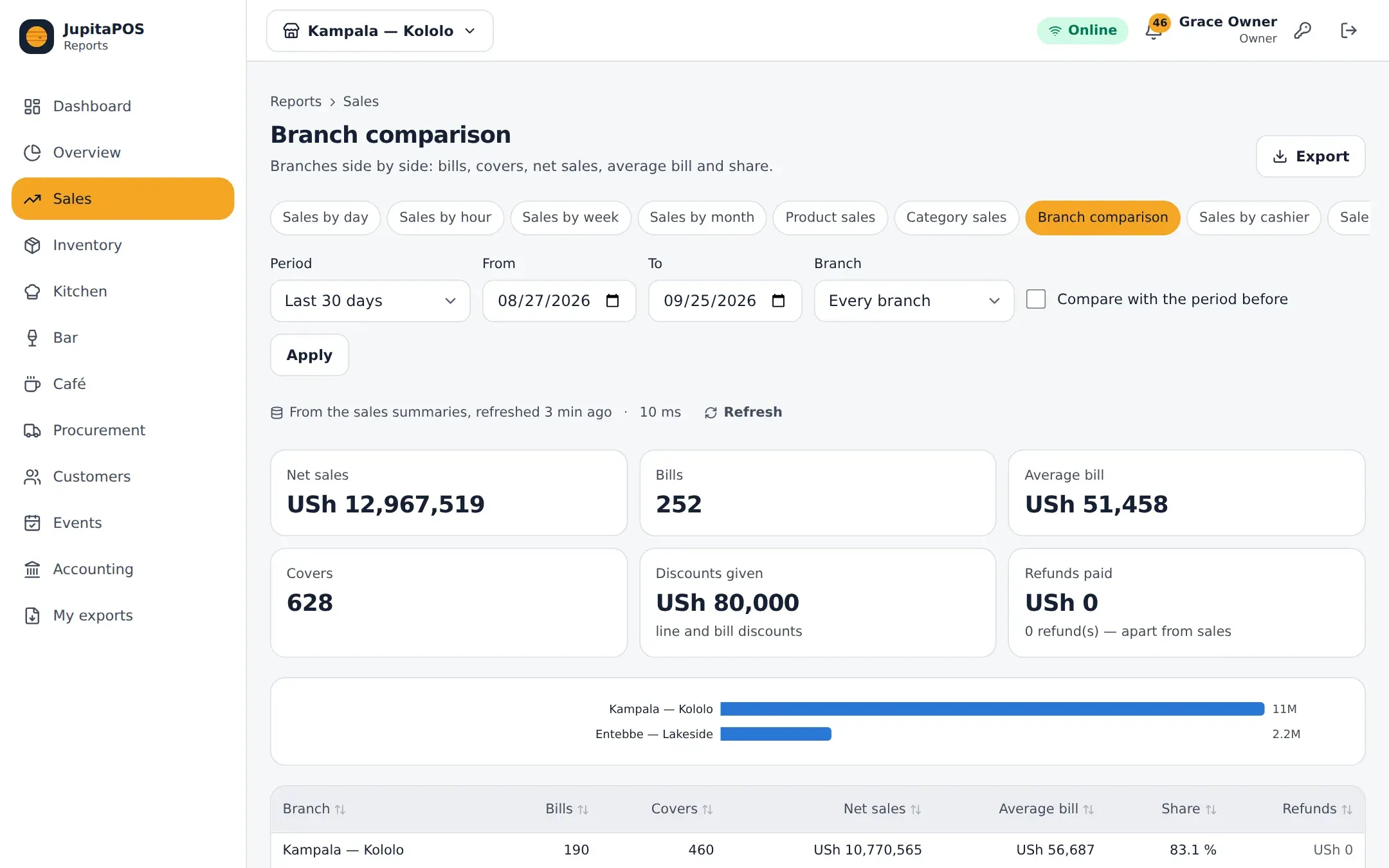
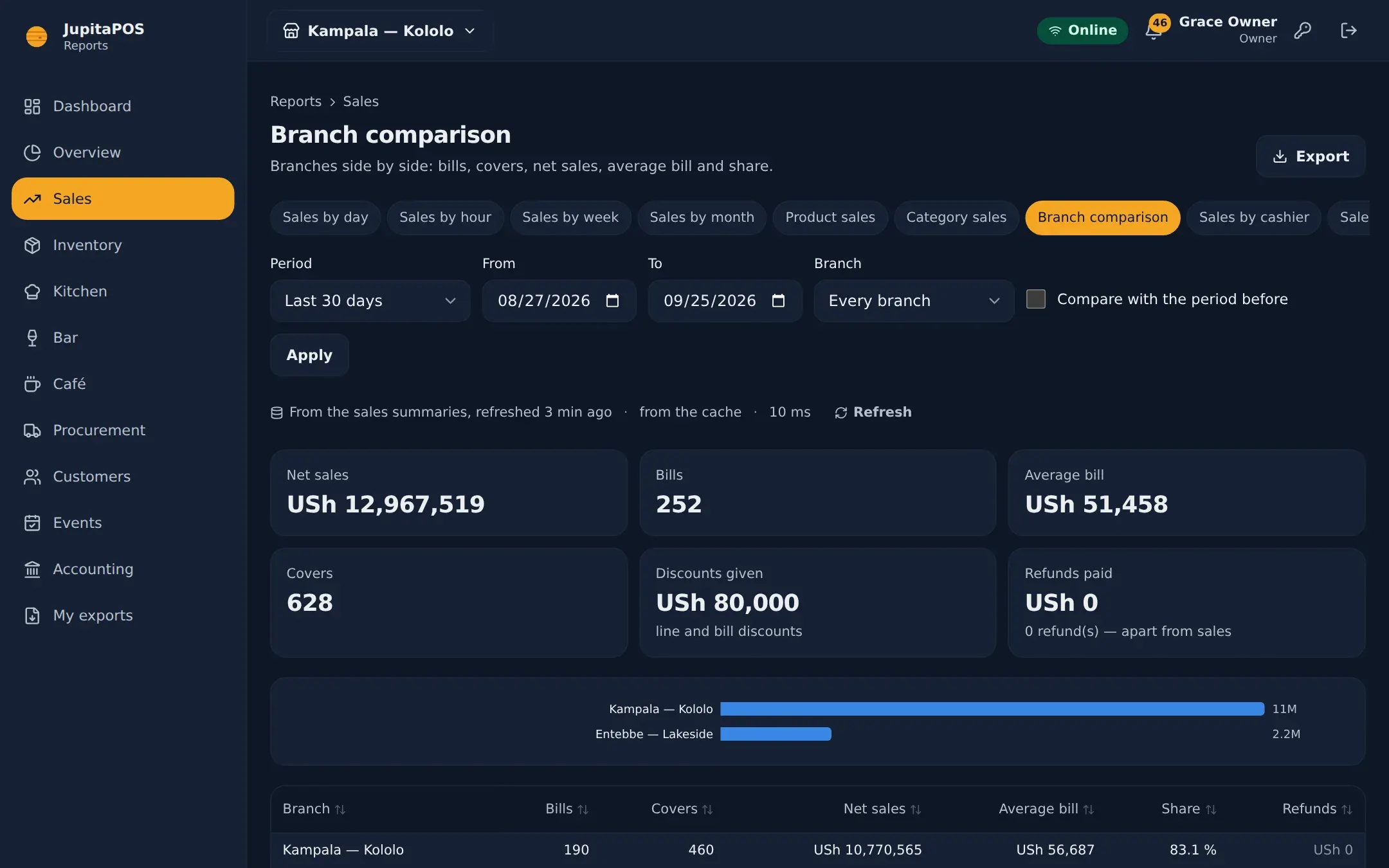
Branches
Your branches, side by side
Net sales, bills, covers, average bill and share for each branch over any period.
Questions, answered
What does “net sales” mean in JupitaPOS?
The same everywhere and the same as the accounts: what items sold for, net of VAT included in the price and discounts, before service charge and delivery fees, on the day the sale closed in your time zone.
Can my accountant get the files without an account?
Yes — copy a signed link to a file. It works for 24 hours without signing in, and each download is logged.
Works together with
- Accounting Double-entry books written by every sale, payment, delivery and refund.
- Multi-Branch Several branches in one business, roles per branch, reports side by side.
- Inventory Stock by location and batch, consumed by recipe the moment a sale closes.
- Restaurant POS Tables, courses, seats, splits and a floor plan that stays live.
Your venue, running calmly.
Tell us about your business. We set JupitaPOS up on your own domain, load your menu, train your team and stay with you through the first services.