

Café POS
Built for the queue, and the cup.
Take the order in seconds, put the name on the cup, send it to the barista and call the number when it is ready — while every shot of espresso and splash of milk is counted.
- order, barista ticket and payment together
- 1 Charge
- coffee, beans, milk, yield and waste reports
- Bean → cup
- call numbers that restart each morning
- Daily


What it does
Everything it does, in plain words.
-
A counter screen for cafés
Today's queue, quick tiles and the order in one view; the customer's call number shown big when you charge.
-
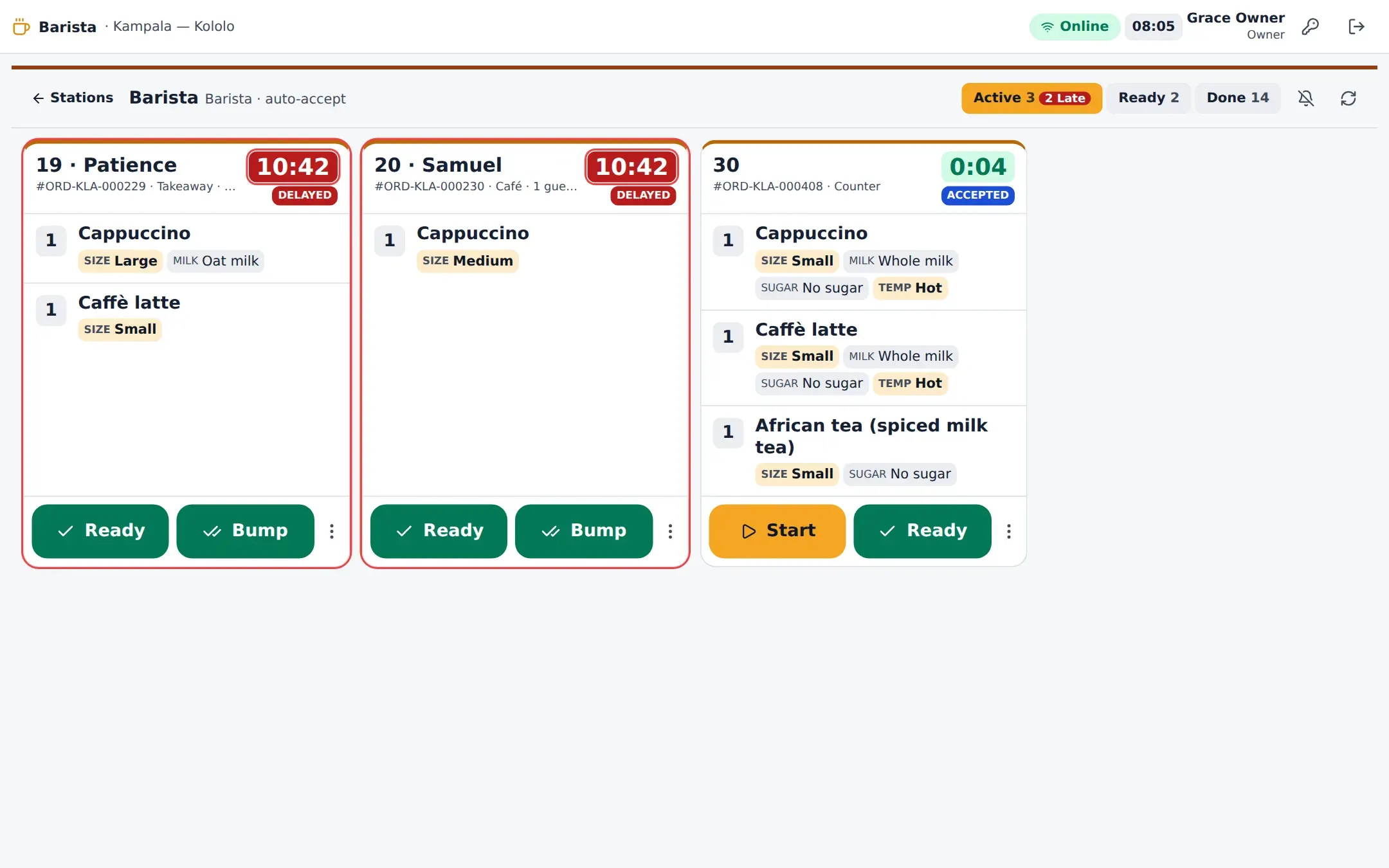
The barista sees every detail
Size, milk, shots, decaf, syrup, temperature and toppings as chips on each drink, accepted automatically.
-
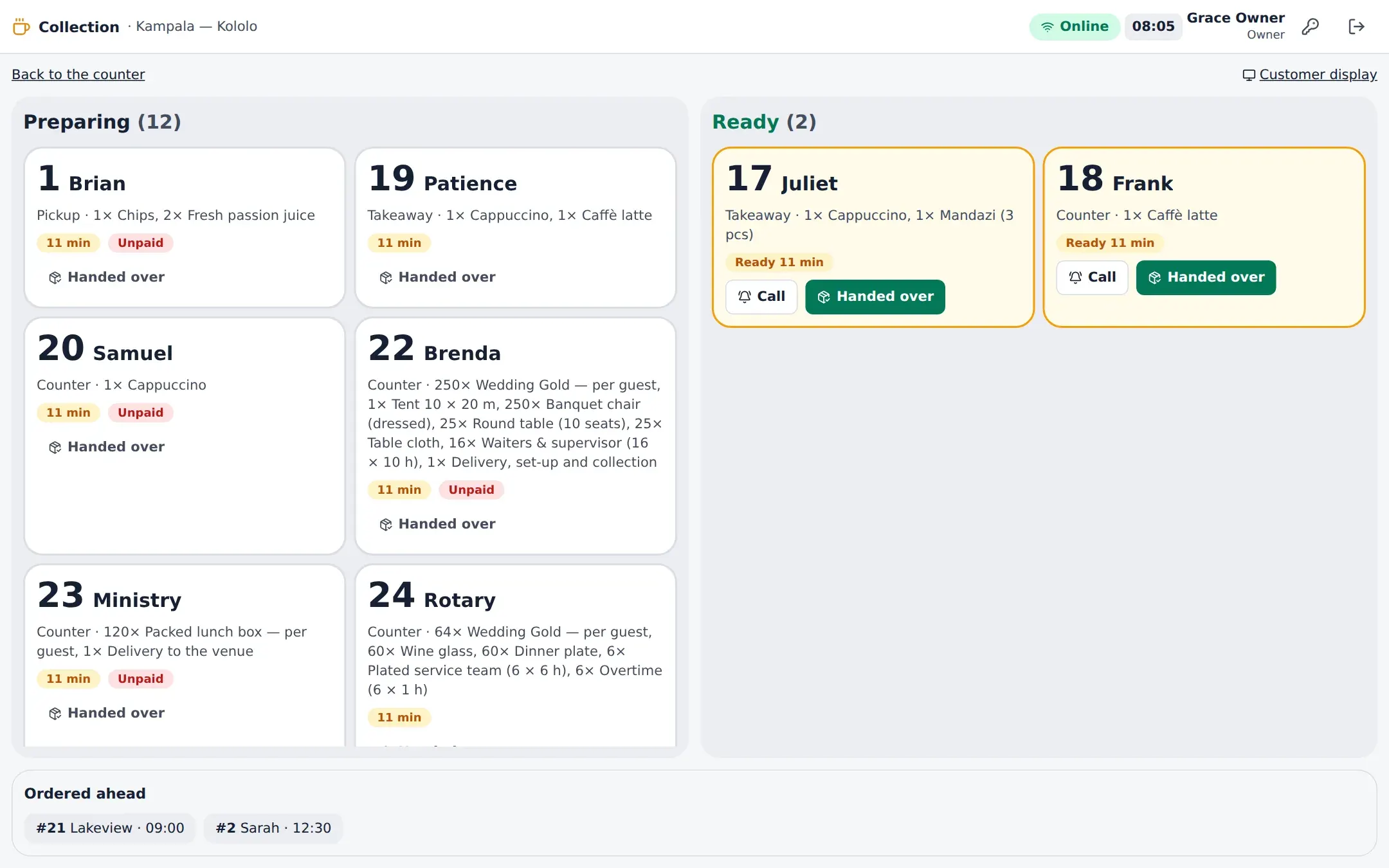
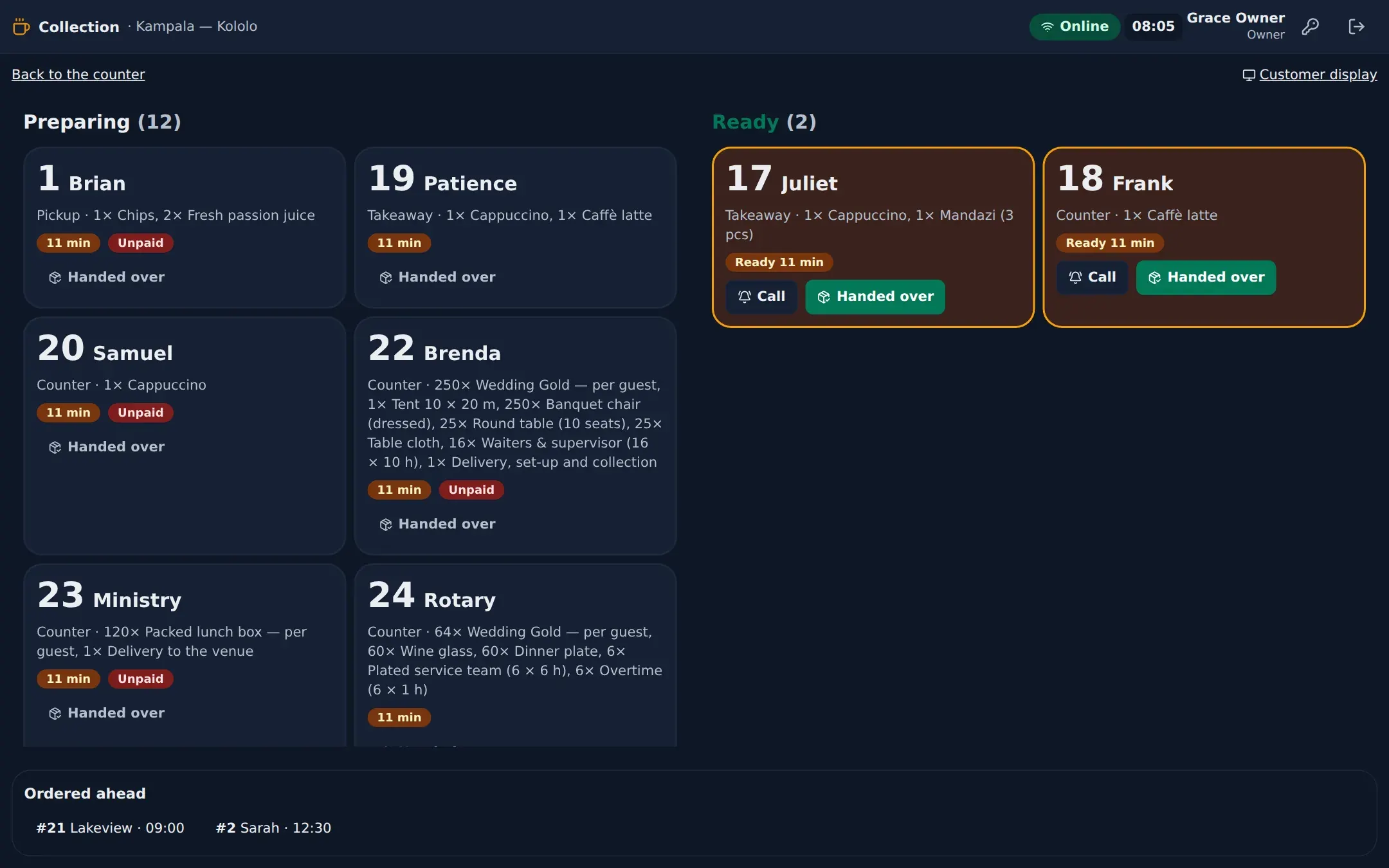
A collection board
Preparing and ready by number and name, on a screen your customers can see.
-
Order ahead
Take an order for later today or this week; it goes to the barista when it is due.
-
Regulars rewarded
Coffee stamps, points, subscriptions with an allowance and prepaid balances — at the counter.
-
Cost per cup
Modifier recipes (an extra shot, oat milk) consume stock, so the cost and yield of every drink is real.
The counter
From the tile to the cup
The café counter screen is made for speed: tiles for the drinks you sell most, the name for the cup, and charge. The call number goes on the screen, the drinks go to the barista.
- Counter, takeaway, pickup, table and order-ahead
- Call again, send to the barista now, handed over
- Cash, card, mobile money, gift card or prepaid balance


The pickup
A collection board your customers can read
Orders move from preparing to ready as the barista works them. A ready number can be called again with one tap, and a handed-over order leaves the board.
Read the manual
- Café counter Call numbers, order-ahead, loyalty at the counter and the collection board.
- Café control Café waste, reports and setting up the café.
- Production boards (KDS, BDS, barista) Reading and working tickets on the kitchen, bar and barista screens.
- Customers & loyalty Customers, points, tiers, stamps, memberships, gift cards and vouchers.
Questions, answered
Can one café run several counters?
Yes. Each counter is a till on its own device; they share the queue, the barista screen and the stock of the café.
Do subscriptions work across branches?
Loyalty, memberships and balances belong to the business, so a regular can use them at any branch.
Works together with
- Barista Display Size, milk, shots and syrups as chips — made, called and collected.
- Inventory Stock by location and batch, consumed by recipe the moment a sale closes.
- Reporting 57 reports in nine sections, sales checked against the ledger, in PDF, Excel and CSV.
- Online Ordering Your menu on your own ordering site: pickup, delivery, table QR and bookings.
Your venue, running calmly.
Tell us about your business. We set JupitaPOS up on your own domain, load your menu, train your team and stay with you through the first services.