

Restaurant POS
Service that flows from the door to the pass.
Seat the table, take the order by seat and course, fire it to the right station, split the bill five ways and close the table — on a till built for the rush, not the demo.
- order types, from dine-in to room service
- 13
- ways to split a bill
- 5
- of selling without internet
- 72 h


What it does
Everything it does, in plain words.
-
A floor plan that stays live
Areas and tables drawn to your room, with status, guests, waiter and time seated updating on every screen.
-
Seats and courses
Every line knows its seat and course; later courses wait, held, until the waiter or the pass fires them.
-
Bills that split cleanly
Equal, by amount, custom parts, by item or by seat — each part paid and receipted on its own.
-
Straight to the kitchen
Send routes each item to the station that makes it; the POS shows preparing and ready as the kitchen works.
-
Discounts with rules
A bill discount by percentage or amount with its label; large discounts need permission; service charge from the dining area.
-
Still selling offline
A registered till keeps taking orders and cash through an outage and syncs everything in order.
On the floor
Every table, at a glance
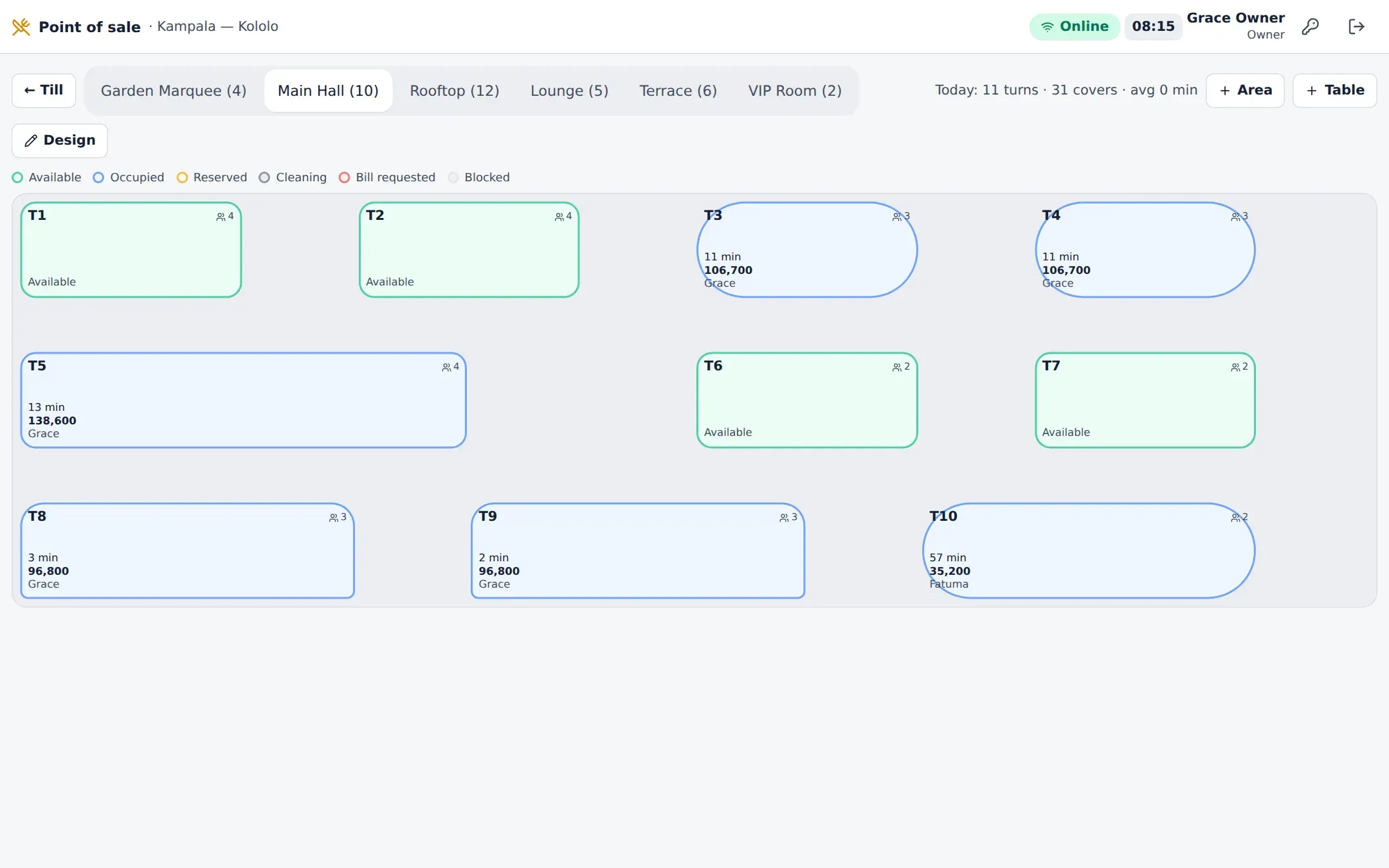
The floor plan is the restaurant as it is right now: which tables are free, seated, waiting for the bill or being cleared, how many guests, who is serving and for how long.
- Design the plan by dragging tables into dining areas
- Merge, split and transfer tables and orders
- Waiter assignment and table turnover on the plan
- Reservations seat straight onto a table

At the till
Fast for the rush, exact for the books
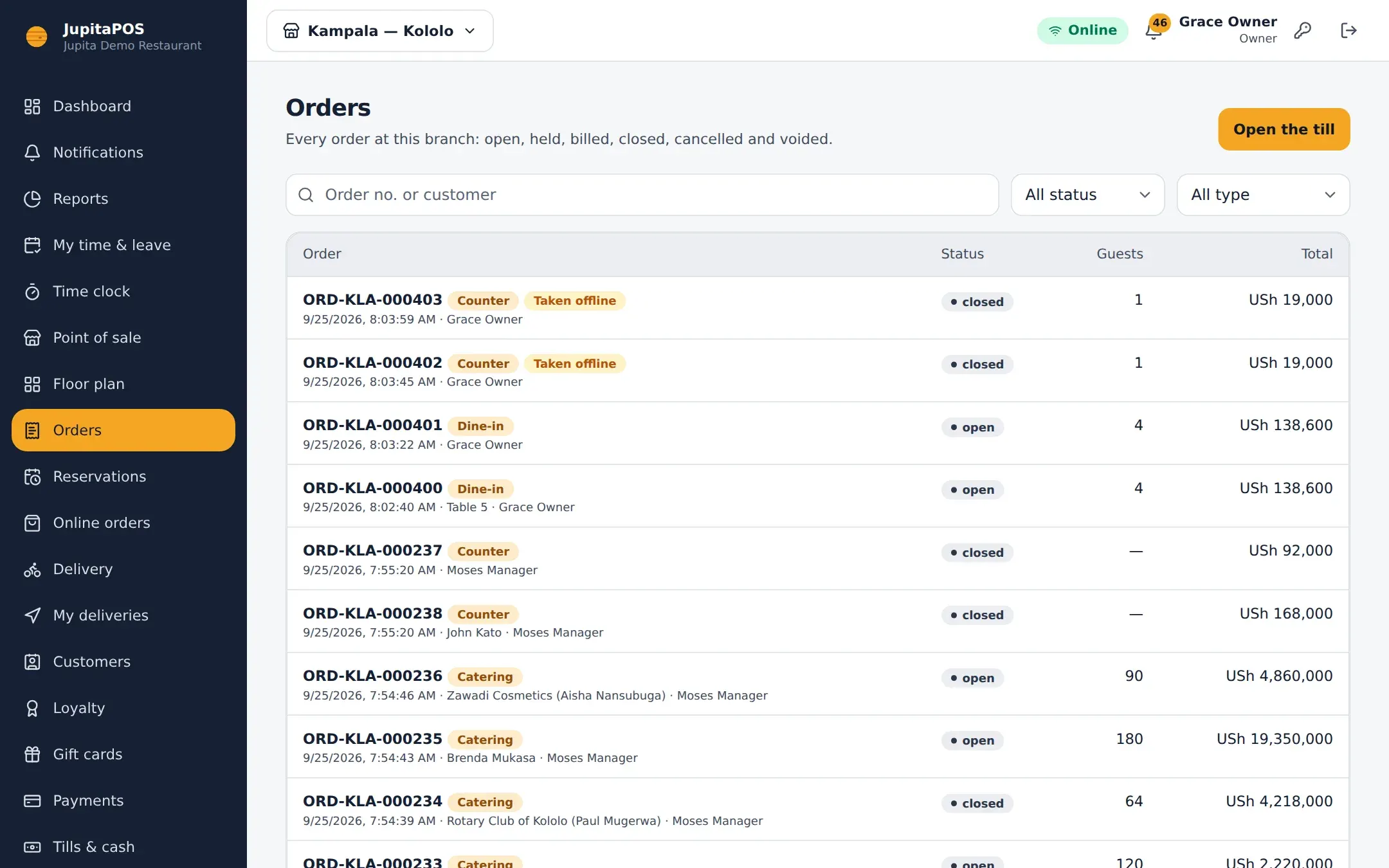
Items as touch tiles by category, variants and modifiers in one dialog, allergies and notes that reach the kitchen word for word. Receipts, bills and tax invoices are numbered without gaps.
- Dine-in, takeaway, pickup, delivery, counter, bar, café, room service, catering, event, staff meal, complimentary and custom orders
- Hold and resume, reopen with a reason, voids that need approval
- Cash, card and mobile-money references, gift cards, vouchers, customer credit and house accounts
Read the manual
- Point of sale Taking orders, seats and courses, sending, billing, splitting and receipts.
- Floor management Dining areas, the floor plan designer, table status and transfers.
- Payments & refunds Tenders, split payments, tips, references and refunds.
- Tills & cash Opening a till, cash movements, safe drops and closing the shift.
Questions, answered
Does it work on a tablet?
Yes. JupitaPOS is a web app you can install like an app on Windows, macOS, Android, iPadOS and ChromeOS devices. The till is designed for touch first and also works with a mouse and keyboard.
Can waiters take orders at the table?
Yes — any signed-in device can open the till, and approved shared tills let staff switch user with a PIN.
How are service charge and VAT handled?
Service charge can be added to the bill; VAT is worked out per line, inclusive or exclusive of the price, and shown on receipts and tax invoices with your TIN.
Works together with
- Kitchen Display Tickets routed to each station, timed against its target, with the pass on top.
- Reporting 57 reports in nine sections, sales checked against the ledger, in PDF, Excel and CSV.
- Inventory Stock by location and batch, consumed by recipe the moment a sale closes.
- Offline Support Keep selling through an outage for up to 72 hours; everything syncs in order.
Your venue, running calmly.
Tell us about your business. We set JupitaPOS up on your own domain, load your menu, train your team and stay with you through the first services.